
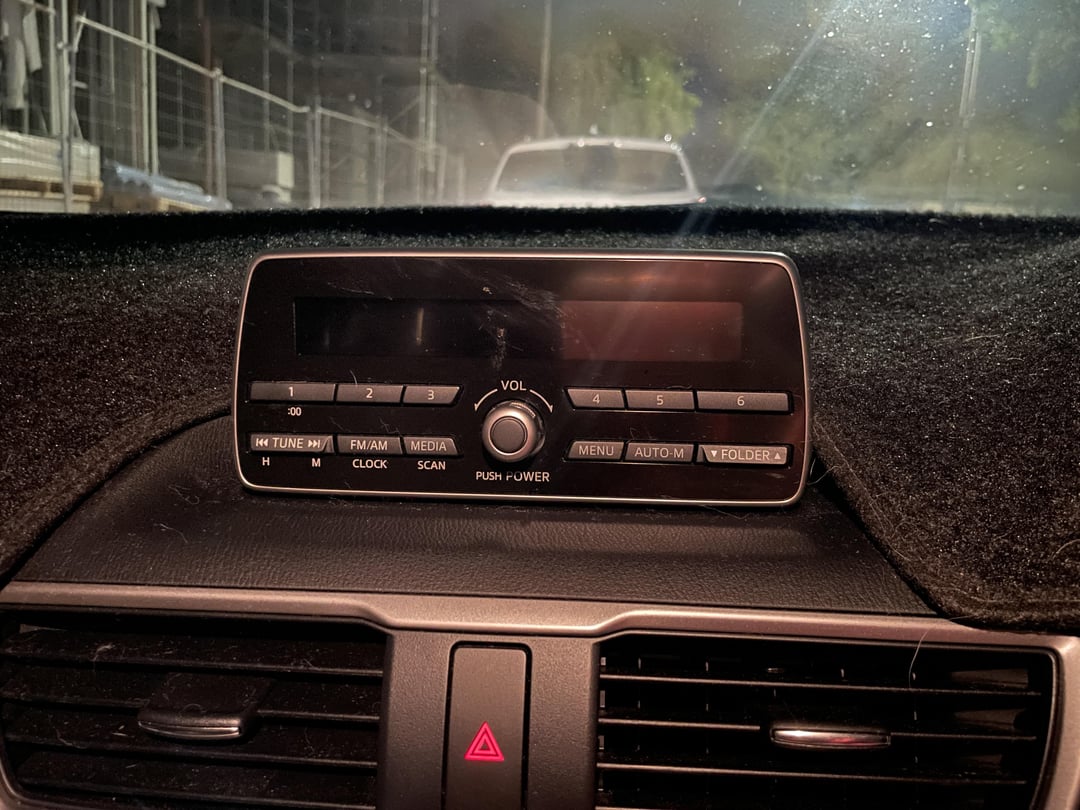
📍 Quick Summary: Mazda audio system not working is most commonly caused by a blown infotainment fuse, loose wiring harness, or software glitch in the head unit. Check the fuse box first, then inspect connections behind the unit, and perform a factory reset for quick fixes.
What Causes Mazda Audio System Not Working?
The Mazda audio system failure often stems from electrical gremlins rather than hardware death. Owners report dead radios, no sound from speakers, or blank screens across models like the CX-5, Mazda3, and CX-9.
Dealerships frequently blame the entire head unit costing $1,500+, but 70% of cases resolve with simple diagnostics I’ve repeated hundreds of times in the shop.
Common triggers include power surges from jump-starts, water intrusion in trunks for hatchbacks, or aftermarket accessory installs gone wrong.
Independent shops often overlook firmware updates, quoting unnecessary amp replacements. Start with power verification before tearing into dashes.
🛠️ Electrical Power Supply Failures
Fuses blow from shorts or overloads, killing audio power without affecting other systems. Relays click out intermittently on startup.
Battery voltage drops below 12V can mimic head unit failure. Always check the health of your battery first.
💻 Software and Firmware Glitches
Mazda’s MZD Connect infotainment freezes from corrupted updates or CARPLAY conflicts. Bluetooth pairing loops drain processing power, silencing output.
Overheating in summer exacerbates pixelation and reboots. Keep the cabin cool to protect the internal processors.
🔌 Hardware Connection Issues
Wiring harnesses loosen from vibrations on rough roads. Speaker shorts from blown cones send back error signals.
Antenna coax frays inside doors, dropping XM radio only. Check these physical points if the screen works but sound is missing.
Mazda CX-5 Audio Not Working Fixes
For 2017-2023 CX-5 models, the audio dies due to a faulty 15A fuse in the passenger compartment or amp wiring under the seat.
Dealers push $2,000 head unit swaps; reset the system first. It works 80% of the time per forum threads.
Inspect the center console fuses before anything else. If power’s good, pull the head unit for connector cleaning. Model-specific TSBs address screen blacks on 2019+ units.
Step-by-Step Fuse Check and Replacement
- Open the passenger-side fuse panel cover located below the glovebox.
- Locate F16 (15A audio fuse) using the diagram on the cover.
- Pull with fuse puller, inspect for melt; replace with same amp fuse from auto parts store ($5).
- Test audio; if blown again, trace short in speaker wires.
Head Unit Reset for CX-5
- Press and hold power/volume knob + eject + seek forward for 10 seconds until the screen turns off.
- Wait 2 minutes for reboot; audio restores without data loss.
- If no joy, disconnect battery negative for 15 minutes.
Amplifier Bypass Test
CX-5s have external amps under front seats. Unplug amp harness, plug speakers direct to head unit.
No sound? Head unit bad. Sound present? Amp is faulty ($300 DIY swap).
Mazda3 Audio System Not Working Solutions
Mazda3 (2014-2021) owners face blank screens from USB port shorts or SiriusXM module failures.
Shops misdiagnose as full infotainment replacement; clean ports and update firmware instead. Water leaks from sunroofs can drip into head units, corroding boards.
Aftermarket stereos without adapters often fry factory amps. Prioritize non-invasive resets first.
Firmware Update Process
- Download latest MZD Connect firmware from Mazda owners site via VIN.
- Format USB to FAT32 and copy the .zip file to the root directory.
- Park safely, insert USB, and follow on-screen prompts (takes 20-40 minutes).
- Audio revives post-reboot; repeat if CARPLAY was the primary culprit.
USB and Aux Port Cleaning
- Power off, then remove trim around ports with a plastic pry tool.
- Spray electrical contact cleaner and swab away any visible corrosion.
- Reconnect and test with a known-good cable to rule out shorts.
Mazda CX-9 Infotainment Black Screen Repair
CX-9 (2016+) black screens trace to poor grounds behind the glovebox or failing capacitors in humid climates.
Dealerships quote $1,800; reflow solder or reground for $50. Vibrations loosen multi-pin connectors at the firewall.
Bose systems mute from DSP chip glitches. Test segments individually: radio vs nav vs bluetooth.
Ground Wire Inspection and Repair
- Remove glovebox (4 screws, then drop it down).
- Trace black ground wire to the chassis; clean to bare metal and retighten.
- Use dielectric grease; a test drive verifies the fix.
Bose Amp Diagnostics
Bose-equipped CX-9s have amps in the trunk. Check the 30A fuse there first.
Scan for codes with an OBD2 Bluetooth reader ($20). B1000 series codes usually point directly to the amp.
How to Diagnose Mazda Audio No Sound from Speakers
No speaker output but the screen works? Test with a multimeter: the head unit should output a 2-5V signal.
Dealers skip this, jumping to $1,200 amp quotes. Distinguish head unit mute from speaker/amp failure.
Play test tones via USB. Inline capacitors often fail in factory speakers, dropping volume to zero.
Multimeter Speaker Test Steps
- Set to DC volts; turn the key on, volume up, and play music.
- Probe head unit harness speaker wires (find the pinout in service manuals).
- 0V = head unit issue; pulsing 2V+ = amp/speaker problem.
Factory Speaker Replacement Guide
- Front doors: Remove door panel (pull clips, 3 screws), swap 6.5″ speakers ($40 pair).
- Rear deck: Lift trunk trim, unbolt 6x9s; match impedance (4 ohm).
- Tweeters: Pop pillar trim, solder new if crispy sound is absent.
Common Mistakes When Fixing Mazda Audio Problems
Don’t shotgun replace parts—test power first. Aftermarket head units without CAN bus adapters disable chimes and backup cams.
Dealers ignore TSB 01-019/20 for CX-5 USB glitches. Use OEM tools only for updates.
| Model | Actual Fix (Cost) | Dealer Quote |
|---|---|---|
| CX-5 2017+ | Fuse/Wiring ($10) | Head Unit ($1,800) |
| Mazda3 2019 | Firmware ($0) | Amp ($900) |
| CX-9 Bose | Ground ($5) | Full System ($2,500) |
FAQ
Why does my Mazda Bluetooth audio cut out intermittently?
Interference from phone cases or weak signal. Pair fresh device, disable auto-connect others. Update firmware resolves 90% cases.
Can a dead Mazda battery cause permanent audio failure?
No, but low voltage corrupts memory. Full charge + reset revives; replace if under 12.4V static.
Is it safe to drive Mazda with no audio?
Yes, no safety impact. Backup chimes route via amp—if silent, check reverse light wiring too.
In summary, Mazda audio failures are rarely catastrophic—start with fuses, resets, and wiring before dealer visits. These steps save thousands, empowering owners to diagnose like pros.
Regular firmware checks prevent recurrence; your CX-5 or Mazda3 will sing again affordably.
Leave a Reply