
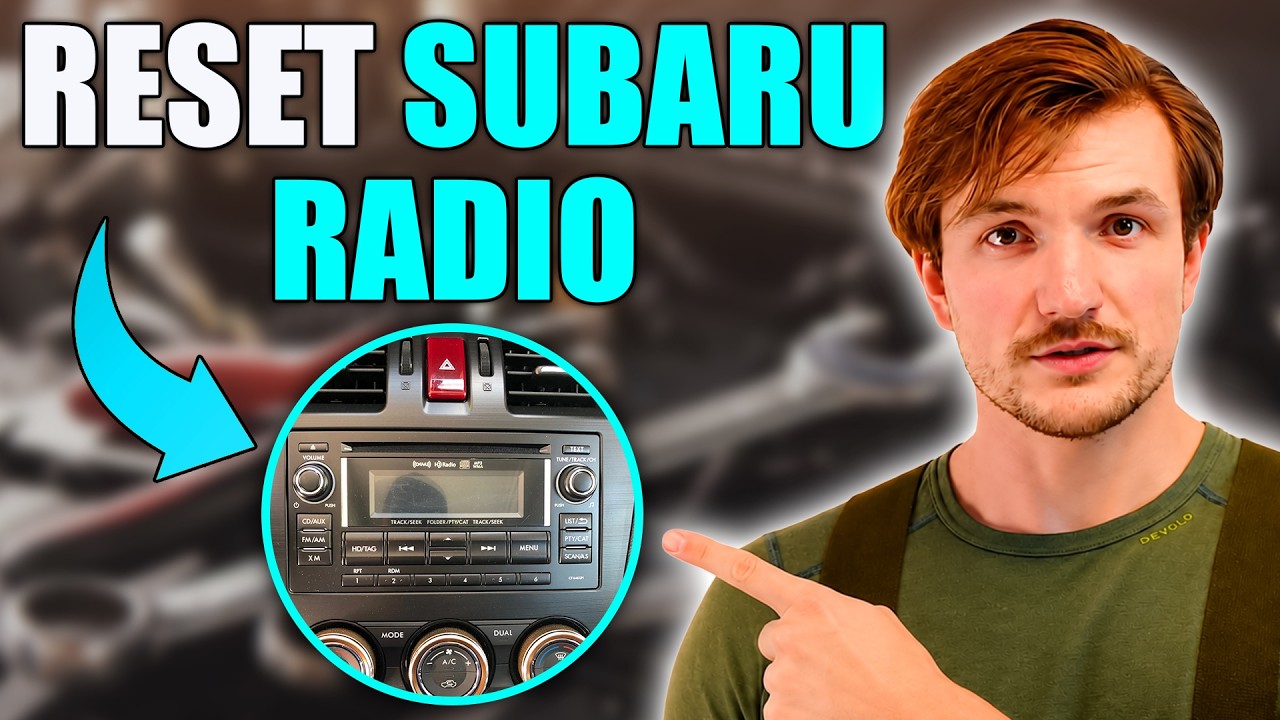
To reset a Subaru radio, press and hold the volume/power knob for 10-15 seconds until the screen goes black and the system reboots. If that fails, disconnect the negative battery terminal for 15 minutes, then reconnect it. For older models (pre-2016), you may need a 4-digit security code found in your owner’s manual packet or obtainable from a Subaru dealer with proof of ownership.
How Do You Reset a Subaru Starlink Head Unit When It Freezes?
Hold the volume/power knob down for 10 to 15 seconds. The screen will go completely black, then restart on its own. This soft reset fixes about 80 percent of Starlink glitches without losing your saved settings or paired devices.
The Starlink system in 2016 and newer Subaru models is notorious for random freezes, black screens, and unresponsive touch inputs. This is not a hardware failure in most cases. It is a software hang caused by memory overflow in the head unit’s operating system.
📋 Step-by-Step Soft Reset Procedure
- Make sure the vehicle is in Park with the ignition in ACC or ON position.
- Locate the volume/power knob on the center of the head unit.
- Press and hold that knob firmly for 10 to 15 seconds.
- The screen will flash, go black, then display the Subaru splash logo.
- Wait for the system to fully boot before touching anything. This can take up to 60 seconds.
If the soft reset does not work, move on to a full power cycle. Turn the ignition completely off. Open and close the driver door to trigger the accessory shutdown.
Wait two full minutes. Then restart the car and try the soft reset again.
🔧 When the Soft Reset Is Not Enough
If the head unit remains frozen or enters a boot loop, a deeper reset is necessary. You will need to pull the radio fuse from the interior fuse box. On most 2015 to 2023 Outback, Forester, and Legacy models, this is a 20-amp fuse labeled “AUDIO” or “AV” in the driver-side fuse panel.
- Remove the fuse using the plastic puller tool included in the fuse box.
- Wait at least 60 seconds with the fuse removed.
- Reinsert the fuse and start the vehicle.
- The head unit will perform a cold boot as if the car just came from the factory.
How Do You Reset a Subaru Radio After Replacing the Battery?
After battery replacement, most 2016 and newer Subaru radios will restart on their own once the battery is reconnected. Older models from 2014 and earlier may require entering a 4-digit anti-theft security code. Check your owner’s manual packet for a card labeled “Security Code” or contact a Subaru dealer with your VIN.
I see this misdiagnosed constantly. Owners replace their battery, and the radio shows “CODE” or “ENTER CODE” on the display. They assume the head unit is broken.
Dealerships have quoted $400 to $800 for “radio replacement” when all that was needed was a simple code entry that takes ten seconds.
🔑 Finding Your Subaru Security Code
- Check the small plastic sleeve inside your owner’s manual packet. Subaru includes a white card with the 4-digit code printed on it.
- Look in the glove box or center console. Many owners tuck the card away and forget about it.
- If the card is lost, call a Subaru dealer. They can pull the code using your VIN and proof of ownership. Some dealers charge a small fee, typically $25 to $50.
- Once you have the code, use the preset buttons on the radio to enter each digit. Press the number button the corresponding number of times. For example, for the digit 3, press the button three times.
- After all four digits are entered, press and hold the button to confirm.
Models from 2016 onward use the Starlink platform and do not have a traditional anti-theft code. After a battery disconnect, they may take two to three minutes to fully initialize.
The first boot is always slower. Do not panic if the screen stays black for 30 to 60 seconds.
Why Does My Subaru Radio Keep Rebooting or Crashing?
Repeated rebooting usually points to corrupted firmware, a failing internal memory chip, or a USB device causing a software conflict. Disconnect all USB drives and unpair Bluetooth devices to rule out external causes before assuming hardware failure.
This is one of the most complained-about issues on Subaru forums. The Starlink system will restart while driving, sometimes every few minutes. It kills audio, navigation, and backup camera function each time it cycles.
Owners report this across the Outback, Forester, Ascent, and Crosstrek lines from 2018 to 2023.
⚠️ Cause 1: Corrupted Firmware
Subaru has released multiple firmware updates to address boot loop and crash issues. If your head unit has never been updated, the factory firmware likely contains known bugs. Visit a Subaru dealer and request the latest firmware update.
This is covered under the 3-year/36,000-mile basic warranty and sometimes under an extended Starlink warranty.
⚠️ Cause 2: USB Device Compatibility
Certain USB flash drives, especially those formatted in exFAT or containing large music libraries, overwhelm the Starlink media parser. The system attempts to index every file, runs out of memory, and crashes. Use a FAT32-formatted drive with no more than a few hundred files.
Better yet, remove USB devices entirely and test if the rebooting stops.
⚠️ Cause 3: Bluetooth Profile Conflicts
Some Android phones with aggressive Bluetooth LE scanning confuse the Starlink Bluetooth module. Go into your phone’s Bluetooth settings, forget the Subaru pairing, and clear the Bluetooth cache on your phone.
Then re-pair the devices fresh. This has resolved recurring crashes for a significant number of owners.
⚠️ Cause 4: Internal Hardware Failure
If none of the above fixes work, the head unit’s internal eMMC memory chip may be degrading. This is a known issue in certain Harman Kardon-supplied units from 2018 to 2020. Subaru extended warranty coverage for this specific failure in some model years.
A dealer can run a diagnostic to confirm. Replacement head units run $1,200 to $2,500 at the dealer, but refurbished units are available for $300 to $600 online.
How to Reset Subaru Navigation System Separately
On models with built-in navigation, the nav system can be reset by going to Settings, then System, then selecting “Restore Factory Defaults.” This resets navigation preferences without affecting Bluetooth pairings or radio presets.
On older Garmin-based Subaru navigation units found in 2013 to 2017 models, a separate reset applies. Press and hold the small reset pinhole on the faceplate using a paperclip for 10 seconds. This is located near the SD card slot.
The navigation will reboot independently of the main radio system.
Subaru Radio Reset by Model Year
🖥️ Special Notes for the 11.6-Inch Vertical Screen (2021 and Newer)
The large vertical touchscreen in the 2021 Outback, Legacy, and 2022 WRX uses a different reset path. There is no physical knob to hold. Instead, press and hold the small power icon at the top left corner of the touchscreen for 10 seconds.
The upper screen (infotainment) and lower screen (climate controls) can also be reset independently by selecting “Reset” in their respective settings menus.
When Should You Take Your Subaru to the Dealer for Radio Issues?
Visit the dealer if the radio fails to respond to any reset method, displays an error code, or if the backup camera stops working alongside the radio. These signs indicate a deeper electrical or internal hardware fault that requires diagnostic tools.
Before you go to the dealer, do this so you do not get overquoted. Document exactly what happens.
Note whether the screen goes black, stays on the logo, shows an error message, or simply has no sound. Bring your VIN, current mileage, and warranty information.
If your car is under the 3-year/36,000-mile warranty or has an extended Subaru Added Security plan, radio and head unit issues are covered.
Dealers sometimes charge a diagnostic fee of $100 to $180 to inspect the head unit. If the issue is warranty-covered, that fee is waived.
Ask upfront. If the dealer says you need a full head unit replacement, ask them to confirm they have tried a firmware reflash first.
In many cases, a firmware reflash resolves what looks like a dead unit.
Frequently Asked Questions
❓ Will resetting my Subaru radio delete my Bluetooth pairings?
A soft reset using the volume knob method does not delete Bluetooth pairings or radio presets on most 2016 and newer models. A fuse pull or battery disconnect may clear saved Bluetooth devices, but your FM and AM presets typically survive. Pairing information will need to be re-entered only after a full factory reset or head unit replacement.
❓ Can I reset my Subaru radio without the car running?
Yes. Turn the ignition to the ACC position without starting the engine.
This provides enough power for the head unit to operate and allows you to perform a soft or hard reset. For the fuse pull method, the ignition should be completely off.
❓ Why does my Subaru radio say “Loading” for a long time after resetting?
After any reset, the Starlink system rebuilds its internal index. This includes scanning connected devices, reloading navigation map data, and initializing the Bluetooth module. On the first boot after a reset, this process can take 1 to 3 minutes.
If the “Loading” screen persists beyond 5 minutes, the firmware may be corrupted and require a dealer reflash.
❓ Does Subaru offer a free radio software update?
Subaru releases firmware updates periodically. These updates are free if your vehicle is under warranty.
Outside of warranty, some dealers charge a half-hour to one-hour labor fee, typically $75 to $150. You can also find updated firmware files on Subaru owner forums, though installing them yourself carries a small risk of bricking the unit if done incorrectly.
❓ Is there a difference between resetting and rebooting a Subaru radio?
In Subaru terminology, there is no formal distinction. However, among owners and technicians, a “reboot” refers to the soft reset where the system restarts but keeps your data.
A “reset” often means restoring factory default settings, which clears personal preferences. Always clarify which method you are performing before starting.
Final Thoughts: Do Not Overpay for a Simple Fix
A frozen Subaru radio is almost never a $2,000 problem. In the vast majority of cases I have seen, a 15-second button hold or a one-minute fuse pull brings the system back to life. Before you authorize expensive diagnostics or a full head unit replacement, try every reset method listed above in order.
Start with the soft reset, move to the fuse pull, and then try a battery disconnect. If none of those work, you have a legitimate hardware issue—and now you can walk into the dealership informed, not guessing.
Leave a Reply