
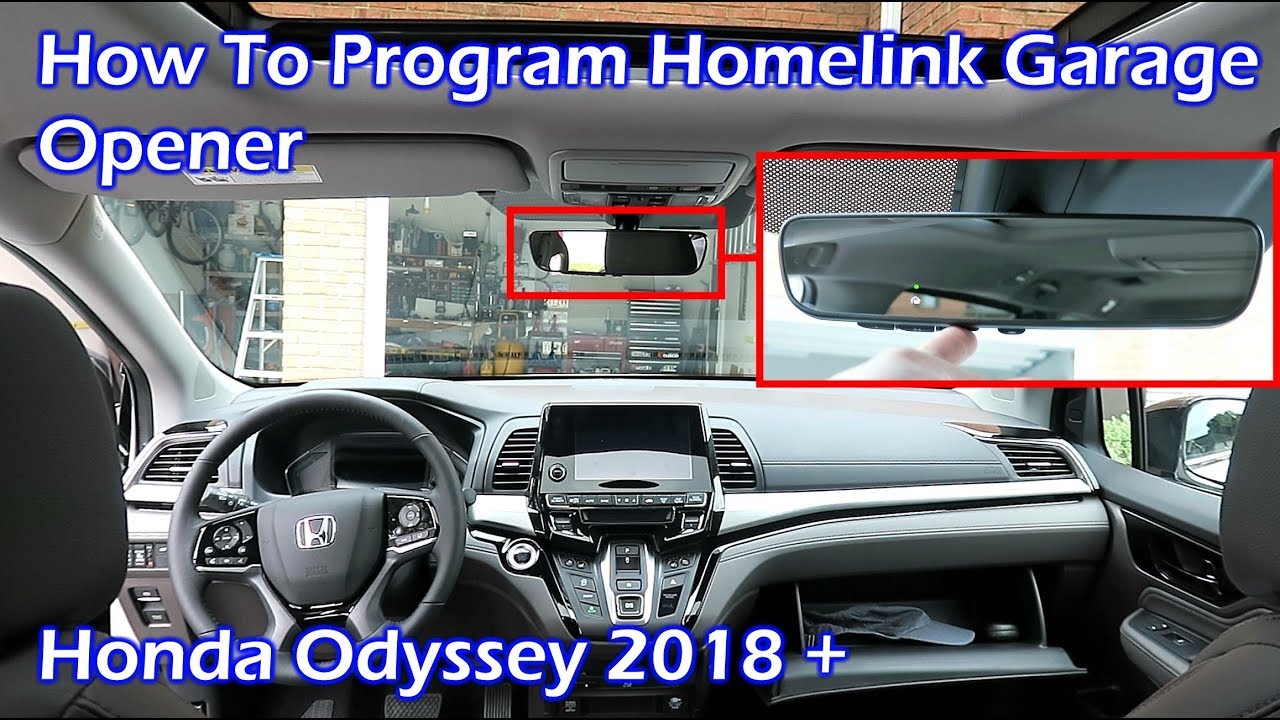
To program HomeLink in a Honda, hold the chosen HomeLink button and your garage remote button together until the LED indicator flashes rapidly instead of slowly.
How do you program HomeLink on a Honda vehicle?
Programming HomeLink on Honda models requires the vehicle to be in accessory mode with the ignition on but the engine off.
This prevents battery drain while allowing the system to learn the remote signal correctly.
Many owners report that the process fails on the first attempt because the garage door opener uses rolling code technology that needs an extra synchronization step after initial pairing.
Step-by-step programming procedure for most 2010 and newer Hondas
- Preparation: Park the vehicle near the garage door opener motor unit and turn the ignition to accessory mode.
- Initial Pairing: Press and hold the HomeLink button you want to program while holding the original remote two inches away from the button.
- Signal Sync: Watch for the HomeLink LED to change from slow flashing to rapid flashing, which usually takes 10 to 20 seconds.
- Verification: Release both buttons, then press the HomeLink button once more to test transmission.
- Rolling Code Step: Return to the garage motor unit and press the learn button, then return to the vehicle and press the programmed HomeLink button for three seconds to complete rolling code sync.
Why does HomeLink fail to program on Honda vehicles?
Common failure points include interference from nearby Wi-Fi routers, weak batteries in the original remote, and the vehicle already having stored conflicting codes from a previous owner.
Dealerships often quote full module replacement when the actual issue is simply a missed rolling code sync or the need to clear old codes first.
Most frequent causes and targeted fixes
- • Weak remote battery: Replace the battery in the original garage remote before attempting programming again.
- • Existing stored codes: Perform a full reset of all three HomeLink buttons before retrying the programming sequence.
- • Distance or angle issues: Hold the remote directly against the HomeLink button rather than relying on line-of-sight from several feet away.
- • Aftermarket remote incompatibility: Some universal remotes lack the proper frequency range and must be replaced with the original manufacturer remote for initial training.
How do you reset HomeLink on Honda models?
Resetting clears all previously learned codes and is required when buying a used Honda or when codes become corrupted after battery replacement.
The reset procedure differs slightly between older fixed-code systems and newer rolling-code systems found in 2016 and later vehicles.
Reset process for 2016 and newer Honda models
- Turn the ignition to accessory mode without starting the engine.
- Press and hold the two outer HomeLink buttons simultaneously for approximately 20 seconds.
- Continue holding until the LED begins flashing rapidly, indicating all codes have been erased.
- Release the buttons and verify the center button no longer activates any device.
What are model-specific differences when programming Honda HomeLink?
Older Hondas such as 2008-2015 Accords and CR-Vs use a simpler fixed-code system that programs in one step without needing the garage motor learn button.
Newer models including 2018 and later Pilots, Odysseys, and Ridgelines incorporate additional security layers that require the rolling code sync step after initial training.
Programming differences by model year range
| Model Years | Programming Notes | Common Issues |
|---|---|---|
| 2008-2015 | Single-step programming, fixed code | Interference from nearby electronics |
| 2016-2020 | Rolling code sync required after training | Failed sync if learn button timing missed |
| 2021+ | Some models need ignition in run position and door open | Dealer-level software updates sometimes needed |
What should you do when HomeLink still does not work after programming?
When the LED flashes correctly but the garage door refuses to respond, the problem usually lies with the rolling code synchronization step rather than the initial pairing.
Independent shops frequently miss this distinction and replace the entire overhead console when a simple re-sync resolves the issue.
Advanced troubleshooting sequence
- Verify the garage door opener motor has power and the learn LED is functioning.
- Press the motor learn button, then immediately return to the vehicle and hold the HomeLink button for a full five seconds.
- Test the door operation from inside the vehicle at different distances up to 30 feet.
- If still unresponsive, repeat the entire reset and programming process with a fresh remote battery.
- Check for aftermarket alarm systems or remote start modules that may be blocking the 300-400 MHz frequency range.
How can you avoid dealership overdiagnosis with HomeLink issues?
Dealership service writers often default to module replacement quotes because they lack the time to perform the extended rolling code sync procedure in the service bay.
Owners who document each programming attempt with video evidence can push back on unnecessary parts replacement and request the technician follow the full factory procedure instead.
FAQ
Can I program HomeLink without the original remote?
No, the original remote is required for the initial training step on all Honda vehicles. After successful programming, you can discard or store the original remote.
Does HomeLink work with modern smart garage door openers?
Yes, but you must first program HomeLink using the original remote that came with the smart opener, then the smart features remain accessible through the manufacturer’s app.
Will disconnecting the battery erase HomeLink codes?
No, HomeLink memory is retained even after battery disconnection on all Honda models produced after 2005.
Is there a limit to how many times I can reprogram HomeLink buttons?
There is no practical limit. You can reset and reprogram the buttons as many times as needed throughout the life of the vehicle.
Conclusion
Successful Honda HomeLink programming depends on following the correct sequence for your specific model year and performing the rolling code synchronization step when required.
Owners who reset codes first, use a strong remote battery, and verify each step methodically avoid the majority of dealer-recommended module replacements.
The process remains fully DIY with basic hand tools and patience, saving hundreds of dollars compared to service department labor rates.
Leave a Reply