
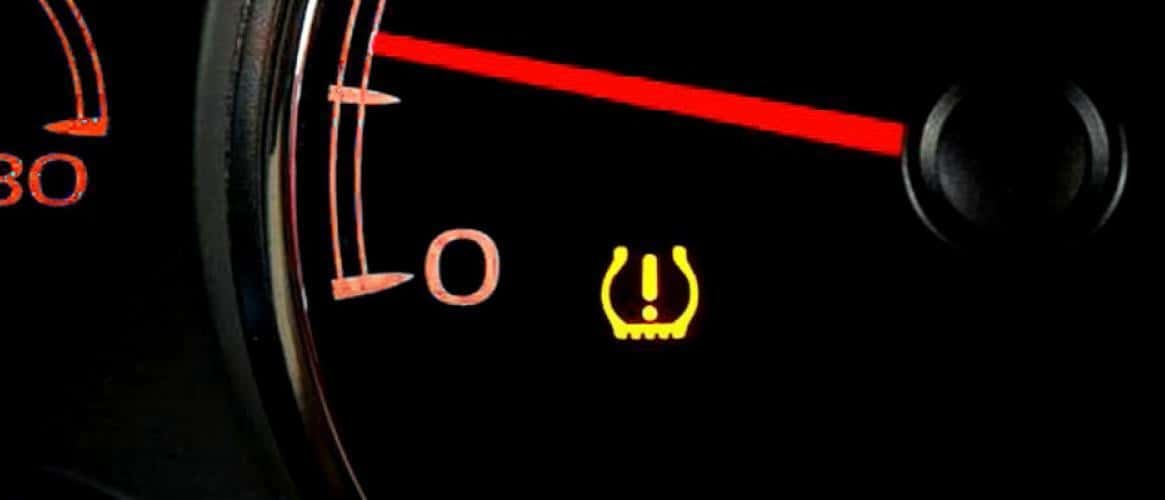
To reset the tire pressure sensor on a Chevy, first inflate all tires (including the spare on some models) to the PSI listed on the driver’s door placard. Then turn the ignition to the “ON” position without starting the engine, press and hold the TPMS reset button (usually located under the steering wheel or in the glove box) until the TPMS light blinks three times, and start the vehicle. The sensor should recalibrate within 20 minutes of driving at 50 mph or above.
Why Is My Tire Pressure Light On After Filling My Tires?
The TPMS light staying on after you have already inflated your tires is one of the most frustrating Chevy ownership experiences. The system does not update in real time — it needs a proper reset or a specific driving cycle to relearn the new pressure values.
In most cases, the sensors are fine. The issue is that Chevy’s TPMS module stores the last known pressure reading and will not clear the warning until it gets a fresh signal. This is especially common after seasonal tire changes, rotating tires, or replacing a dead sensor battery.
Common Reasons the Light Stays On
- Tire was inflated but no relearn was performed. The module still reads the old, lower pressure value.
- A sensor battery has died. TPMS sensors run on non-replaceable coin-cell batteries that last 5 to 8 years. If your Chevy is a 2015 or older, this is the most likely culprit.
- A faulty or mismatched sensor. Aftermarket sensors sometimes fail to communicate with the factory receiver.
- The spare tire also has a sensor. On models like the Suburban, Tahoe, and Silverado, the spare tire is monitored too and may be the trigger.
- A weak signal from the Body Control Module (BCM). In rare cases, a BCM glitch prevents the system from accepting new sensor data. If that is your situation, a full BCM reset may be required.
How to Reset TPMS on Chevy Silverado and GMC Sierra
On 2007 and newer Silverado and Sierra trucks, the TPMS relearn is done through the instrument cluster menu. There is no separate reset button on these trucks, which confuses a lot of owners who watch older tutorials online.
Step-by-Step Relearn Procedure
- Turn the ignition to the “ON” position (engine off).
- Use the steering wheel controls to navigate to the Vehicle Information menu on the driver display.
- Scroll to “Relearn Tire Pressure” or “Tire Pressure Relearn” and press the checkmark button.
- The horn will chirp twice, and the left front turn signal will illuminate.
- Starting with the left front tire, deflate the tire by pressing the valve core until the horn chirps once.
- Repeat for the right front, right rear, and left rear tires in that exact order. The horn chirps each time the sensor is recognized.
- After the left rear tire chirps, the horn will sound twice to confirm the relearn is complete.
- Re-inflate all tires to the correct PSI.
Pro Tip: You do not actually need to deflate the tires to trigger the sensors. A dedicated TPMS activation tool (such as the Autel TS401 or the ATEQ QuickSet) can program each sensor by holding the tool against the tire sidewall near the valve stem. This saves time and avoids unnecessary wear on the valve cores.
How to Reset TPMS on Chevy Equinox and Traverse
The 2010–2017 Equinox and Traverse use a different approach. These models have a physical TPMS reset button, but its location varies by year.
Where Is the TPMS Reset Button?
- 2010–2017 Equinox: Located beneath the steering column, to the left of the fuse panel. It is a small black button with a tire icon.
- 2018 and newer Equinox: No physical button. Use the infotainment screen under Settings > Vehicle > Tire Pressure and select “Relearn.”
- Traverse (all years): Typically accessed through the DIC (Driver Information Center) buttons on the steering wheel, similar to the Silverado method.
Relearn Steps for Equinox with Physical Button
- Inflate all tires to the PSI listed on the door placard (usually 35 psi for the Equinox).
- Turn the ignition to “ON” but do not start the engine.
- Press and hold the TPMS reset button until the TPMS light blinks three times.
- Start the engine and drive for about 20 minutes at speeds above 50 mph.
- The system will auto-calibrate and the light should turn off.
How to Reset TPMS on Chevy Malibu and Cruze
The Malibu (2013 and newer) and Cruze (2011–2019) do not have a dedicated TPMS reset button. These sedans require either a scan tool or the relearn procedure through the DIC.
Method 1: DIC Relearn via Steering Wheel Controls
- Inflate all four tires to the recommended PSI.
- Turn the ignition to “ON” (engine off).
- Press the Menu button on the steering wheel until you see the tire pressure display.
- Press and hold the Set/CLR button until the horn chirps twice.
- Deflate each tire in the order LF, RF, RR, LR — or use a TPMS activation tool — waiting for a horn chirp after each.
- Two final chirps confirm the relearn is done.
Method 2: Using an OBD-II Scan Tool
If the DIC method does not work or your model year lacks steering wheel controls, you will need a TPMS-capable scan tool. Connect it to the OBD-II port, select your vehicle, and follow the on-screen prompts to program each sensor ID. This is the method most tire shops use, and it is the only reliable option when you have installed new aftermarket sensors.
TPMS Sensor Replacement Cost and When to Replace
Replace sensors if they are older than 7 years, show intermittent readings, or trigger low-battery codes (usually C0750–C0770 in GM diagnostic codes). Do not replace a sensor just because the light is on — always diagnose first. Many people waste money replacing perfectly good sensors when the real issue was just a missing relearn step after a tire rotation.
FAQ
Can I drive with the TPMS light on?
Yes, but it is not recommended. If the light is on because of genuinely low tire pressure, driving increases the risk of a blowout and reduces fuel economy. If you have confirmed all tires are at the correct PSI and the light is just stuck, you can drive cautiously until you perform the relearn.
Do I need to reset TPMS after rotating tires?
On Chevy models where the sensors are position-specific (most 2007 and newer), yes. After a tire rotation, the system does not know which sensor is now on which corner. A relearn ensures the dashboard displays the correct tire position for each reading.
Will disconnecting the battery reset the TPMS?
No. Disconnecting the battery resets many modules, but TPMS sensor IDs are stored in non-volatile memory. You will still need to perform a proper relearn procedure after reconnecting the battery.
Why does my TPMS light blink and then stay solid?
A blinking TPMS light that turns solid after about 60 seconds indicates a system fault — usually a dead or unresponsive sensor, not low tire pressure.
A solid light that comes on and stays on indicates one or more tires are below the threshold. The two patterns mean different things, and confusing them leads to misdiagnosis.
Can aftermarket wheels and tires affect TPMS?
Yes. If you install aftermarket wheels without transferring the OEM sensors — or if you use non-compatible aftermarket sensors — the system will throw a fault. Make sure any replacement sensors are rated for your specific Chevy model and frequency (315 MHz for most North American GM vehicles).
Final Word: Do Not Skip the Relearn
Over 90 percent of “stuck” TPMS lights on Chevy vehicles come down to one thing: the owner inflated the tires but never told the system about it. The relearn procedure is free, takes less than five minutes with the right tool, and saves you from unnecessary sensor replacements and shop visits.
Whether you drive a Silverado, Equinox, Malibu, or Cruze, the process follows the same logic — confirm pressure, trigger the relearn, and let the module do the rest. If the light persists after a proper relearn, then you are likely looking at a dead sensor battery or a receiver issue, and that is when a scan tool and a qualified technician become worth the money.
Leave a Reply