
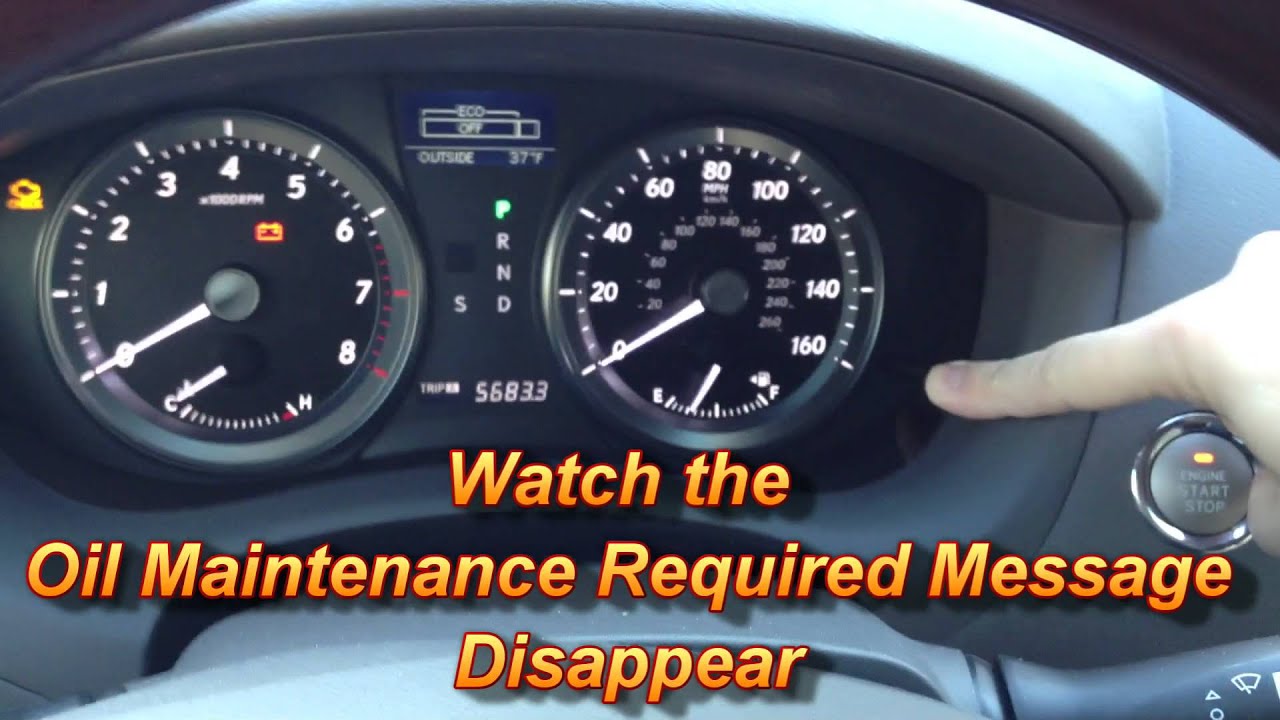
To reset the oil maintenance light on a Lexus ES 350, turn the ignition to “ON” (do not start the engine), press the trip odometer button until the odometer displays, then turn the ignition off. Next, hold the trip button down while turning the ignition back to “ON” and keep holding until the maintenance light flashes and turns off. The exact steps vary by model year.
How Do You Reset the Oil Maintenance Light on a Lexus ES 350?
The oil maintenance required light on the Lexus ES 350 is not triggered by sensors—it is a mileage-based timer programmed into the instrument cluster. After an oil change, you must manually reset it or the light will stay on until the system thinks another service interval has passed.
The procedure changed across generations, and this is where most owners get tripped up. Using the wrong method for your model year will not clear the light, which leads many people to believe there is a deeper electrical problem.
For 2007–2012 Lexus ES 350 (Fifth Generation)
- Turn the ignition switch to the “ON” position. Do not start the engine.
- Press the trip odometer stem button repeatedly until the main odometer reading displays (not Trip A or Trip B).
- Turn the ignition switch to the “OFF” position.
- Press and hold the trip odometer button. While holding it, turn the ignition to “ON.”
- Continue holding the button. After about 5 to 10 seconds, the maintenance required light will flash, then disappear.
- Release the button and start the engine to confirm the light is off.
For 2013–2018 Lexus ES 350 (Sixth Generation)
- Turn the ignition to “ON” without starting the engine.
- Navigate to the settings screen using the steering wheel controls or the Multi-Information Display (MID) buttons on the steering wheel.
- Select “Vehicle Settings” or “Oil Maintenance” from the menu.
- Press and hold the “OK” or “Enter” button until the maintenance data resets to 100%.
- Turn the ignition off and restart to verify.
For 2019 and Newer Lexus ES 350 (Seventh Generation)
- Start the vehicle and use the steering wheel arrow buttons to navigate to the “Settings” or “Vehicle Info” screen on the MID.
- Scroll to “Oil Maintenance” or “Scheduled Maintenance.”
- Select “Reset” and confirm by pressing “OK.”
- The system will display a confirmation message once the reset is complete.
Pro Tip: If your 2013+ ES 350 has the Enform system, some dealership software can reset the light remotely during a service visit. Independent shops often skip this step, which is why the light sometimes comes back on the same day you picked up the car.
Why Won’t My Lexus ES 350 Oil Maintenance Light Reset?
In most cases, the reset fails because the procedure timing is off or the wrong sequence is used for the model year. However, a cluster malfunction or aftermarket accessory can also block the reset.
Cause 1: Wrong Procedure for the Model Year
The number one reason the reset does not work is using a procedure meant for a different generation. The 2007–2012 models use the physical trip button method, while 2013 and newer models require steering wheel menu navigation. Using the older button-hold technique on a 2013 cluster will do nothing.
Cause 2: Holding the Button Too Long or Too Short
On the fifth-generation ES 350, timing matters. You must hold the trip button during the ignition transition and keep holding it until the light cycles.
Releasing too early resets nothing. Holding too long past the flash can sometimes restart the countdown from the beginning rather than clearing it.
Cause 3: Cluster or ECU Software Glitch
A small percentage of 2013–2018 ES 350 owners report that the MID menu simply does not show the oil reset option. This is typically a software version issue. A Lexus dealer can perform a firmware update on the instrument cluster that restores the missing menu item.
Cause 4: Aftermarket Remote Start or Alarm Interference
If you have an aftermarket remote start system installed, it can interfere with the ignition sequence timing that the oil reset procedure relies on. The system may be energizing circuits before you complete the button sequence. Temporarily disconnecting the remote start module before attempting the reset often resolves this.
How Often Does the Lexus ES 350 Oil Light Come On?
The Lexus ES 350 oil maintenance light is programmed to illuminate every 5,000 miles under normal driving conditions. In some model years with synthetic oil recommendations, the interval may extend to 10,000 miles depending on the dealer-programmed service schedule.
This light does not monitor oil quality, level, or viscosity. It is purely a countdown timer. If you drive aggressively, tow, or operate in extreme temperatures, you should change your oil sooner than the light indicates regardless of whether it has turned on yet.
| Model Year | Default Interval | Oil Type Recommended | Reset Method |
|---|---|---|---|
| 2007–2012 | 5,000 miles | 0W-20 Synthetic | Trip button + ignition sequence |
| 2013–2018 | 5,000–10,000 miles | 0W-20 Synthetic | MID steering wheel menu |
| 2019–Present | 5,000–10,000 miles | 0W-16 or 0W-20 Synthetic | Steering wheel display menu |
Can a Dealership Reset the Oil Light for Free After an Oil Change Elsewhere?
Most Lexus dealerships will reset the oil maintenance light at no charge if you are already on the premises, though some may charge a small diagnostic fee. Independent shops should reset the light as part of a standard oil change service, but many forget or do not know the correct procedure for newer Lexus models.
If you change your own oil, always reset the light immediately after completing the service. Letting the old maintenance counter run while fresh oil is in the engine creates confusion about when your next actual service is due.
Does Not Resetting the Oil Light Cause Any Damage?
No, failing to reset the oil light will not cause mechanical damage to your Lexus ES 350. The light is a reminder system only and has no connection to engine management or fuel delivery. However, leaving it on can mask other warning indicators, and it makes tracking your next service date unnecessarily complicated.
Frequently Asked Questions
Will disconnecting the battery reset the oil maintenance light on a Lexus ES 350?
Disconnecting the battery may temporarily clear the display, but the maintenance counter is stored in non-volatile memory on most 2013 and newer models. The light will return once the system re-initializes. You still need to perform the proper reset procedure.
Can I reset the Lexus ES 350 oil light with an OBD2 scanner?
Standard consumer-grade OBD2 scanners typically cannot access the maintenance reset function because it lives in the body control module or instrument cluster, not the engine ECU. You need a professional-grade scanner with Lexus-specific software or use the manual method described above.
Why does my oil light come on before 5,000 miles?
If your dealer or a previous owner had the service interval reprogrammed to a shorter mileage, the light will trigger earlier. Some dealerships set conservative intervals to bring customers back sooner. A Lexus dealer can verify and adjust the programmed interval to the factory default.
Is the oil maintenance light the same as the oil pressure warning light?
No. The oil maintenance light is a scheduled service reminder. The oil pressure warning light—usually a red oil can icon—indicates a real-time lubrication problem and requires immediate engine shutdown.
Confusing the two can lead to catastrophic engine damage if the pressure warning is ignored.
How do I reset the oil light if my Lexus ES 350 has a push-button start?
On push-button start models (2013 and newer), press the start button twice without pressing the brake pedal to enter “ON” mode. Then use the steering wheel controls to navigate to the oil maintenance reset menu. The physical trip-button method does not apply to these models.
Final Takeaway
Resetting the oil maintenance light on a Lexus ES 350 takes less than 30 seconds once you know the correct procedure for your model year. The most common mistake is applying the wrong generation’s method.
Follow the steps for your specific year, and if the light still will not clear, suspect a software glitch or aftermarket accessory interference before assuming a hardware failure. Keeping this reminder system accurate ensures you never lose track of your actual service schedule and keeps your ES 350 running clean for the long haul.
Leave a Reply