
A Mercedes COMAND system not working is typically caused by a blown infotainment fuse, a low vehicle battery, a corrupted internal hard drive, or a break in the MOST fiber optic ring. To fix it, start by performing a system reset, checking the specific COMAND fuses in the engine bay and trunk, and using a cheap fiber optic bypass loop to identify if an auxiliary module like the amplifier or SiriusXM receiver has failed and shut down the system.
Why is my Mercedes COMAND screen black and not turning on?
A completely black Mercedes COMAND screen is usually caused by a blown fuse, a dead internal screen backlight, or a lack of stable power from a failing main or auxiliary battery.
When the COMAND screen refuses to power up at all, the issue is almost always electrical. Mercedes-Benz vehicles are notoriously sensitive to voltage fluctuations, and if your main AGM battery or the auxiliary battery drops below 12.2 volts, the vehicle’s power management system will actively shut down non-essential convenience electronics, including the infotainment system.
Before assuming your head unit is dead, you must verify that your vehicle’s charging system is supplying clean, consistent power.
If your battery is in perfect health, the next culprit is a blown fuse. The COMAND system does not rely on a single fuse; instead, it is split across multiple fuse boxes located in the engine bay, the passenger footwell, and the trunk.
Dealerships often charge a diagnostic fee of upwards of $200 just to find a simple $2 blown fuse, making this the very first DIY step you should take.
Checking the Infotainment Fuses
To diagnose the fuses, you will need a basic 12V test light or a digital multimeter. Locate the fuse diagram, which is typically stored alongside the spare tire in the trunk or folded inside the engine bay fuse box.
- Engine Bay Fuse Box: Look for the main infotainment fuses, often labeled as “Radio,” “COMAND,” or “Display.” On older models like the W211 or W212, these are typically 15A or 20A fuses.
- Trunk Fuse Box: The audio amplifier, navigation processor, and satellite radio modules are often fused in the rear. A blown amplifier fuse will prevent the head unit from completing its power-on handshake.
- Interior Passenger Footwell: Some models house the primary ignition-switched fuses here, which signal the COMAND system to wake up when the key is turned.
Testing Battery Voltage and Alternator Output
Low voltage can cause the COMAND system to enter a protective sleep mode where it refuses to boot. Connect a digital multimeter to your battery terminals with the engine off; it should read at least 12.4 volts.
Start the engine and check the voltage again to ensure the alternator is charging between 13.5 and 14.7 volts. If the voltage drops too low during engine cranking, the COMAND unit may glitch and remain in a black-screen state until a full power cycle is performed.
What causes the Mercedes COMAND boot loop (stuck on Mercedes logo)?
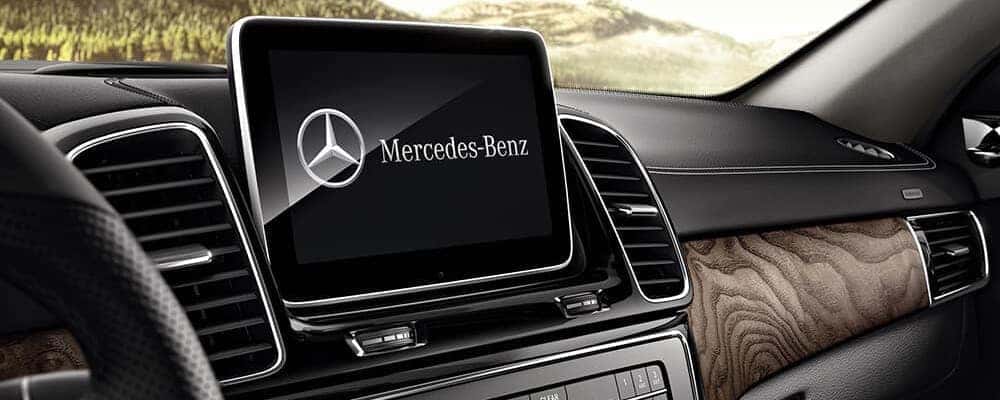
The Mercedes COMAND boot loop, where the screen displays the Mercedes-Benz logo and then restarts repeatedly, is caused by either a corrupted internal mechanical hard disk drive (HDD) or a communication failure in the MOST fiber optic network.
This is one of the most frustrating issues for Mercedes owners, especially on NTG 4, 4.5, and 4.7 systems found in W204 C-Class and W212 E-Class models. When you turn on the ignition, the COMAND head unit attempts to load its operating system from the internal hard drive while simultaneously pinging all connected peripheral modules over a fiber optic loop.
If the head unit does not receive a response from a critical module or cannot read its own boot sector, it crashes and restarts in an infinite loop.
Dealerships will almost always tell you that a boot-looping COMAND unit is “bricked” and must be replaced entirely at a cost of $2,500 to $4,000. In reality, this is rarely necessary.
Most boot loops can be resolved by either replacing the failing mechanical hard drive with a solid-state drive (SSD) or by identifying and bypassing a failed peripheral module on the fiber optic network.
The Infamous MOST Fiber Optic Ring Failure
The Media Oriented Systems Transport (MOST) network connects your head unit to the amplifier, SiriusXM module, voice control module, and navigation processor using fiber optic cables. If any single module in this ring loses power or fails internally, the optical circuit is broken, and the head unit cannot complete its boot sequence.
Because the light signals cannot pass through a dead module, the COMAND system assumes a critical system failure has occurred. To protect itself, the head unit aborts the boot process, shuts down, and attempts to restart, creating the endless logo loop.
Internal Hard Disk Drive (HDD) Corruption
Mercedes-Benz utilized automotive-grade mechanical hard disk drives in many of its NTG systems to store navigation maps, music, and system software. These spinning-platter drives are subjected to extreme cabin temperatures and constant road vibrations, which eventually leads to physical sector failure.
When the system attempts to read corrupted boot files from a damaged sector, the operating system crashes instantly. Specialized independent shops can clone your failing drive onto an industrial-grade SSD, preserving your original software and map data without requiring a costly dealership replacement.
How to diagnose a broken MOST fiber optic loop
To diagnose a broken MOST fiber optic loop, you must use a optical fiber bypass loop tool to systematically disconnect each audio module until the COMAND system powers back on and functions normally.
If your COMAND system is stuck on the logo screen, or if it turns on but has absolutely no sound and won’t let you select radio stations, you are likely dealing with a break in the MOST optical ring. Instead of paying a mechanic to run expensive proprietary Xentry diagnostics, you can perform this test yourself using a $10 fiber optic bypass loop available online.
This simple plastic tool plugs into the optical harness of individual modules, allowing the light beam to complete its circuit even if the module itself is completely dead.
By bypassing one module at a time, you can isolate the exact component that is bringing down the entire infotainment system. The most common modules to fail are the SiriusXM satellite receiver and the factory Harman Kardon or Bang & Olufsen audio amplifier, both of which are highly susceptible to moisture intrusion.
Step-by-Step Bypass Test Using a Loop Adapter
To begin the diagnostic process, you will need to locate the auxiliary audio modules in your vehicle, which are typically housed in the trunk behind the left or right carpet panels.
- Power Down: Turn off the vehicle’s ignition completely and remove the key from the ignition to prevent active optical signals from damaging your eyes.
- Locate Module: Locate the first target module, such as the SiriusXM satellite radio tuner or the main audio amplifier.
- Unplug Harness: Unplug the electrical connector from the module and locate the orange twin-strand fiber optic cable running into the connector.
- Extract Optical Plug: Carefully unclip the fiber optic insert from the main wiring harness plug.
- Install Bypass: Insert the male or female fiber optic bypass loop adapter directly onto the orange fiber optic plug until it clicks securely into place.
- Test System: Turn on the vehicle ignition and attempt to boot the COMAND system. If the system turns on normally and stays on, you have successfully isolated the dead module that needs replacement.
Identifying Common Module Failure Locations
Different Mercedes-Benz models store their MOST modules in different locations, making it crucial to know where to look. In SUVs like the ML, GL, and GLE (W164 and W166), the satellite radio and amplifier modules are located under the rear passenger seats, where they are frequently ruined by spilled drinks or clogged sunroof drains.
In sedans like the C-Class and E-Class, these modules are tucked away in the trunk cavity. Water leaking past worn taillight gaskets or trunk seals can pool directly inside the amplifier casing, instantly shorting out the circuit board and breaking the MOST loop.
Mercedes COMAND system reset procedures by model
You can perform a soft reset on most Mercedes COMAND systems by holding down the Power button or the Eject button for 10 to 15 seconds, while older models require pulling the specific infotainment fuses to force a hard reboot.
When the COMAND screen freezes, refuses to pair with your phone, or displays a “System Unavailable” error message, a system reset is the quickest way to clear temporary software glitches. Just like a home computer, the COMAND head unit runs on an operating system that can suffer from memory leaks and cache overload.
A soft reset forces the system to dump its volatile memory and reload its firmware without deleting your saved navigation destinations or radio presets.
If a soft reset fails to resolve the issue, you will need to perform a hard reset. This involves cutting all constant 12V memory power to the unit, forcing the internal microprocessors to discharge completely. Below are the specific reset procedures categorized by Mercedes-Benz NTG system generations.
Performing a Hard Battery Disconnect
If the button shortcuts do not respond because the system is completely frozen, you must perform a hard power reset. Locate your vehicle’s main 12V AGM battery, which is typically found in the engine bay or under the front passenger seat.
Use a 10mm wrench to disconnect the negative (black) battery terminal and leave it disconnected for at least 20 minutes. This allows all residual capacitance in the COMAND system’s internal power supplies to drain completely, forcing a fresh, clean boot when the battery is reconnected.
How much does it cost to repair a Mercedes COMAND system?
Repairing a Mercedes COMAND system ranges from $10 for a DIY fiber optic bypass loop to $4,000 for a complete head unit replacement at an authorized dealership.
The sheer cost of infotainment repairs is why so many owners drive around with dead screens. Dealerships do not perform component-level diagnostics or repairs; their official service bulletins dictate that any failing COMAND unit must be replaced with a brand-new OEM assembly.
Furthermore, a new head unit requires online SCN (Software Calibration Number) coding through Mercedes’ secure servers to match your vehicle’s VIN, meaning you cannot simply buy a used unit from a salvage yard and plug it in without specialized programming.
Fortunately, the independent aftermarket has developed highly effective workarounds. Specialized repair facilities can rebuild your existing COMAND unit, avoiding the need for SCN coding since the unit retains its original VIN-matched motherboard.
Dealership vs. Independent vs. DIY Cost Comparison
Understanding your options can save you thousands of dollars. Always exhaust DIY diagnostics before committing to a professional repair.
- Dealership Replacement ($3,000 – $4,500): Includes a brand-new OEM head unit, labor, and proprietary SCN coding. This option comes with a 12-to-24-month parts warranty but is rarely economically viable on older out-of-warranty models.
- Independent Specialist Repair ($500 – $1,200): You mail your broken COMAND unit to a specialized automotive electronics lab. They replace failing internal components, such as the hard drive, optical drive, or power supply board, and ship it back to you plug-and-play ready.
- DIY Fiber Optic Bypass ($10 – $50): If your system is down due to a failed auxiliary module like the SiriusXM receiver, bypassing it yourself with a loop adapter restores your radio, navigation, and screen functionality instantly for pennies.
Mechanic’s Tip: If you must buy a used COMAND unit from a donor car, ensure you purchase it from an identical model year and trim level. You will need to find an independent mechanic who possesses a cloned Xentry diagnostic system with offline programming capabilities to bypass the Mercedes anti-theft PIN protection.
Frequently Asked Questions
Q. Can a low auxiliary battery cause the COMAND system to stop working?
Yes, a failing auxiliary battery can absolutely cause the COMAND system to malfunction. While the main battery starts the engine, the auxiliary battery powers essential cabin electronics and maintains system memory; if its voltage drops, the COMAND system may freeze, lose its settings, or refuse to turn on.
Q. How do I know if my amplifier is blown or if the COMAND unit itself is dead?
If your COMAND screen turns on, allows you to navigate menus, and displays map data, but there is absolutely no sound from any source, the amplifier is likely blown or its fuse has popped. If the screen is completely black and does not respond to any buttons, the issue lies within the main COMAND head unit or its primary power supply.
Q. Is it possible to upgrade my broken COMAND system to an aftermarket unit?
Yes, many owners choose to replace a dead COMAND system with an aftermarket Android screen or a wireless Apple CarPlay/Android Auto integration module. These aftermarket systems often cost less than a factory repair and provide modern navigation and connectivity features while retaining your original steering wheel controls.
Q. Why does my COMAND system turn off automatically after 10 or 30 minutes?
If your COMAND system shuts down automatically while you are parked, it is entering its built-in battery protection mode because it detects that the vehicle’s engine is not running and the battery voltage is dropping. If this happens while you are actively driving, it indicates a thermal overload issue where the internal cooling fan has failed, causing the unit to shut down to prevent permanent heat damage.
Conclusion
A malfunctioning Mercedes COMAND system does not have to mean a multi-thousand-dollar bill at the local dealership. By understanding how the MOST fiber optic ring operates and utilizing basic diagnostic steps like fuse checks, battery voltage testing, and bypass loops, you can isolate the root cause of the failure right in your own driveway.
Whether it is a simple $2 blown fuse, a dead satellite radio module, or a corrupted hard drive, there is almost always a cost-effective, DIY-friendly solution that will restore your infotainment system and get you back to enjoying your drive.
Leave a Reply