
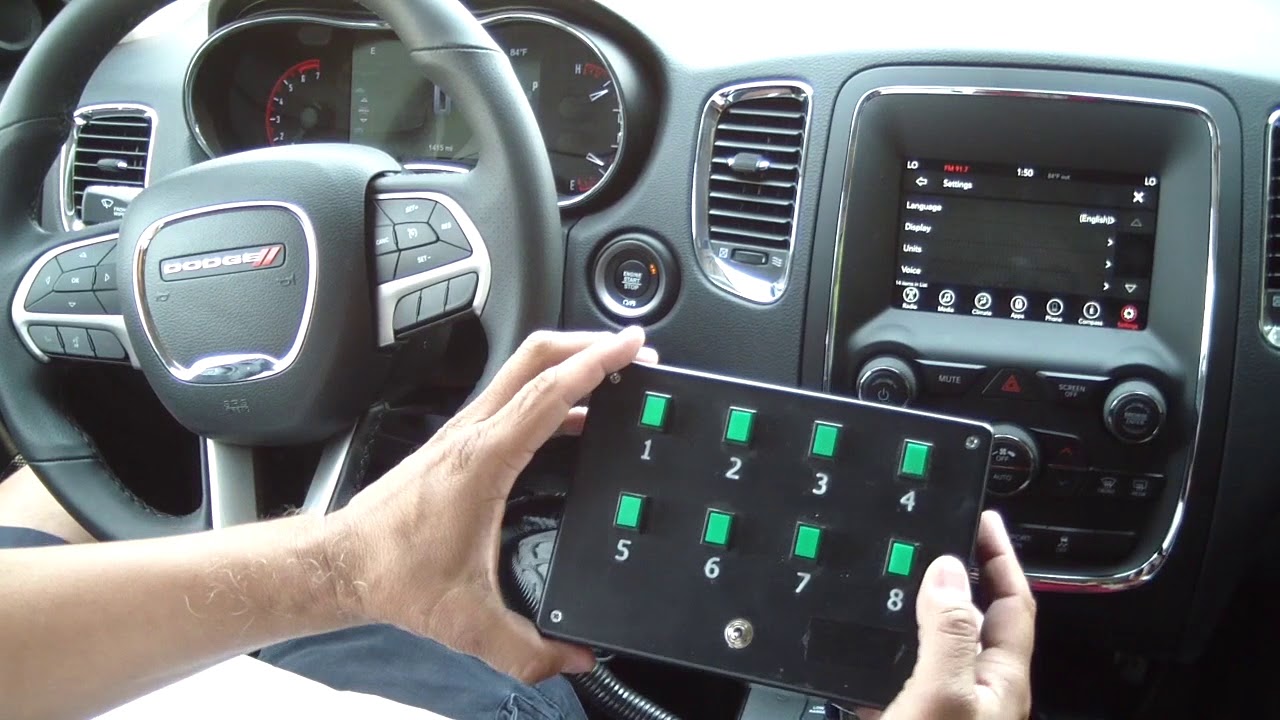
The Upfitter Electronic Module, also known as the Upfitter Interface Module or UIM, acts as the factory gateway that safely routes power and signals to aftermarket equipment on Ford Super Duty trucks without triggering warning lights or voiding warranties.
What Are the Most Common Upfitter Module Problems Reported by Owners?
Owners most frequently report complete loss of auxiliary power outputs, random triggering of factory accessories, and communication errors that set U0100 or B-codes in the module.
These issues often appear after water intrusion, aftermarket wiring mistakes, or following battery disconnects that corrupt the module’s adaptive memory.
Water Intrusion Through the Cab Corner
Many 2017–2022 F-250 and F-350 trucks develop leaks at the left-rear cab corner seam. Water travels along the harness and pools inside the module connector, corroding pins 4, 7, and 12 first.
Once corrosion starts, intermittent power loss to upfitter relays occurs, especially when the vehicle sits overnight or after pressure washing.
Aftermarket Wiring Shorts
Improper grounding of high-amp accessories such as winches or light bars often back-feeds voltage into the module’s low-current circuits. This damages the internal FET drivers and produces a no-communication condition on the HS-CAN bus.
Where Is the Upfitter Electronic Module Located on Ford Trucks?
On 2011–2016 Super Duty models the module sits under the dash behind the parking brake pedal, secured to the lower dash brace with two 7 mm screws.
2017–2024 models moved the module to the left side of the instrument panel, above the OBD-II port, behind a small removable trim panel.
| Model Years | Module Location |
|---|---|
| 2011–2016 | Under the dash, behind the parking brake pedal. |
| 2017–2024 | Left side of instrument panel, above the OBD-II port. |
Model-Specific Access Steps
- Step 1: Remove the lower dash insulator panel using a plastic trim tool.
- Step 2: Locate the black rectangular module with a 24-pin connector and two mounting ears.
- Step 3: Disconnect the battery negative terminal before unplugging the module to avoid setting multiple network codes.
How Do You Diagnose Upfitter Module Failures Step by Step?
Begin with a full vehicle scan using a tool that supports Ford’s MS-CAN and HS-CAN networks, because the module will not always set codes visible on basic OBD-II readers.
Next, perform a visual inspection of the connector for green corrosion and check voltage on pins 1 (battery) and 16 (ground) with the key on.
Pinpoint Testing Sequence
- ⚙️ Key on, measure 12.4 V or higher at pin 1.
- ⚙️ Check continuity on pin 16 to chassis ground; less than 0.3 ohms is acceptable.
- ⚙️ Back-probe the four upfitter output circuits at the module while commanding them on with a capable scan tool.
- ⚙️ Any output that fails to switch indicates either a failed driver inside the module or an open circuit downstream.
Why Do Dealerships and Shops Often Misdiagnose These Issues?
Many shops replace batteries, alternators, or entire body control modules before scanning the Upfitter module because its DTCs are hidden in a separate network address.
Independent shops without Ford IDS or FORScan often miss the module entirely and quote unnecessary harness replacements that cost two to three times more than a new module.
What Are the Practical DIY Repair and Replacement Options?
Replacement modules are available new from Ford or used from salvage yards with matching part numbers such as HC3Z-14C689-A or LC3Z-14C689-A depending on model year.
After physical replacement the module must be programmed with the vehicle’s as-built data to restore all auxiliary functions and clear the “Upfitter Module Not Configured” message.
Programming Steps Using FORScan
- 1. Connect a compatible OBD-II adapter and open FORScan on a Windows laptop.
- 2. Perform a full network scan and note the current UIM part number.
- 3. Load the vehicle’s as-built file downloaded from motorcraftservice.com using the VIN.
- 4. Write the configuration to the new module and perform a network test afterward.
- 5. Clear all DTCs and verify each upfitter circuit operates with a test light or multimeter.
How Can Owners Prevent Future Upfitter Module Failures?
Apply dielectric grease to the module connector after any water-related repair and route new accessory grounds directly to the battery negative post instead of body grounds.
Install an inline fuse holder on every auxiliary circuit within 18 inches of the battery to protect the module’s internal drivers from short circuits.
Frequently Asked Questions
Can I drive with a failed Upfitter module?
Yes, the truck will run normally, but all factory-authorized auxiliary outputs will remain inoperative until the module is repaired or replaced.
Does replacing the module require dealer-level tools only?
FORScan with an extended license can perform the necessary programming on most 2017 and newer trucks without a dealer visit.
Will aftermarket upfitters void my warranty if the module fails?
Only improper wiring that damages the module can affect warranty coverage; simply using the factory-provided circuits keeps the warranty intact.
How long does module programming usually take?
The process averages 15–25 minutes once the as-built data is downloaded and the correct adapter is connected.
Owners who understand the Upfitter Electronic Module’s role and failure patterns can avoid expensive misdiagnoses and restore full auxiliary function with targeted testing and proper programming. Regular connector inspections and correct grounding practices keep the module reliable through years of heavy service use.
Leave a Reply