
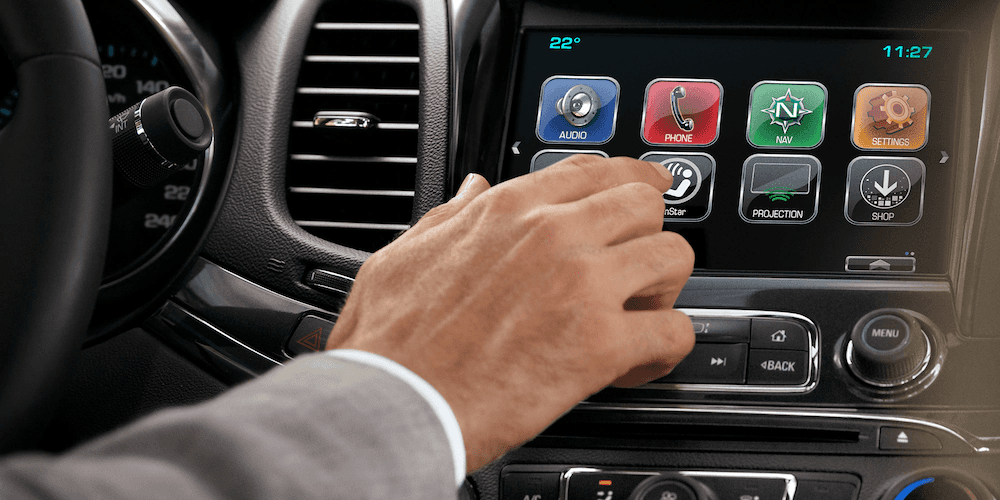
Chevy MyLink stops working due to software glitches, a failing digitizer, corroded connectors behind the radio, or a dead infotainment module. The quickest fix is a hard reset by holding the Home and Fast-Forward buttons for 10 seconds. If the screen stays black or unresponsive, the issue is usually hardware—most commonly a failed LCD, bad ribbon cable, or a blown fuse on the radio circuit.
Why Is My Chevy MyLink Not Working?
Chevy MyLink fails for three broad reasons: software corruption, hardware failure, or network/communication errors between modules. In most cases you can fix it yourself without a dealership visit.
Software glitches are the number one cause across all model years. GM’s infotainment platform runs on a QNX-based operating system that occasionally locks up after a phone update, a USB device conflict, or simply from prolonged uptime. A hard reset clears the temporary memory and restores normal operation in the majority of cases.
Hardware failures are more common in 2014–2018 models. The digitizer (the touch-sensitive layer on the glass) degrades over time, especially in vehicles that sit in direct sunlight. The ribbon cable connecting the LCD to the main board can also fatigue and lose contact, causing intermittent black screens or ghost touches.
Communication faults happen when the infotainment module loses its connection to the vehicle’s CAN bus. This typically triggers a “Service Audio System” or “No Signal” message and often points to a corroded connector at the back of the head unit or a weak ground behind the dash.
Common Symptoms You Might See
- ▸ Screen goes completely black but audio still works
- ▸ Touchscreen freezes or responds to phantom touches
- ▸ Bluetooth pairs but drops connection within seconds
- ▸ Apple CarPlay or Android Auto disconnects randomly
- ▸ Radio reboots in a loop every 30–60 seconds
- ▸ “Updating Software” message that never finishes
- ▸ Backup camera shows a blue or black screen
- ▸ Volume knob or steering wheel controls stop responding
How Do I Reset My Chevy MyLink System?
Hold the Home button and the Fast-Forward button on the center stack simultaneously for 10 seconds until the screen goes black, then release. The system will reboot and usually clear minor software glitches.
Method 1: Soft Reset (Try This First)
- Turn the ignition to ACC or ON—engine does not need to be running.
- Locate the Home button and the Fast-Forward (seek) button on the radio faceplate.
- Press and hold both buttons at the same time for 10 seconds.
- The screen will go black, then display the Chevrolet logo as it reboots.
- Wait 1–2 minutes for the system to fully initialize before touching anything.
Method 2: Battery Disconnect Reset
If the soft reset does not work, disconnect the negative battery terminal for 15 minutes. This drains all residual power from the capacitors in the infotainment module and forces a full cold boot when you reconnect.
- Open the hood and locate the negative (black) battery terminal.
- Use a 10mm wrench to loosen the terminal clamp.
- Remove the cable and tuck it away from the battery post.
- Wait at least 15 minutes—some technicians recommend 30 for stubborn cases.
- Reconnect the cable and tighten the clamp firmly.
- Start the vehicle and let the MyLink system boot without pressing any buttons.
Pro Tip: After a battery disconnect, your radio presets and Bluetooth pairings will be erased. Write them down before you start. Some models also require you to re-enter a theft-deterrent code—check your owner’s manual or dealer records.
Method 3: Fuse Pull Reset
Pulling the infotainment fuse is faster than disconnecting the battery and avoids resetting your clock and other vehicle settings.
- Check your owner’s manual for the exact fuse location—it varies by model year.
- On most 2014–2019 models, the radio fuse is in the instrument panel fuse box labeled “RDO” or “INFO” (usually 15A or 20A).
- Use the fuse puller tool stored in the fuse box lid.
- Remove the fuse, wait 30 seconds, then reinsert it.
- Start the vehicle and allow the system to reboot fully.
Chevy MyLink Screen Black or Frozen — What Causes It?
A black or frozen MyLink screen is almost always a failed LCD panel, a broken digitizer, or a loose ribbon cable inside the head unit. Software resets will not fix these hardware faults.
Cause 1: Failed LCD Backlight or Panel
The LCD panels GM sourced from LG and other suppliers for 2014–2017 models are known to fail. You may still hear audio and see the buttons light up, but the display itself stays dark. Shine a bright flashlight at the screen—if you can faintly see the interface, the backlight LED strip has failed and the entire display assembly needs replacement.
Cause 2: Digitizer Failure (Touch Not Working)
The digitizer is the thin touch-sensitive layer bonded to the front glass. When it fails, the screen displays normally but does not respond to finger input, or it registers phantom touches on its own. This is extremely common on 2015–2018 Silverado, Tahoe, and Suburban models.
Replacement digitizer kits cost $30–$60 and take about 45 minutes to install with basic tools.
Cause 3: Loose or Damaged Ribbon Cable
Inside the head unit, a flat ribbon cable connects the display to the main circuit board. Vibration from driving—especially in trucks—can work this cable loose over time. If your screen flickers, shows distorted colors, or works intermittently, the ribbon cable is the prime suspect.
Reseating it requires removing the radio from the dash and opening the housing.
Cause 4: Overheating Module
The infotainment module generates significant heat, and GM’s mounting location behind the dash traps it. In hot climates or during summer, the module may thermal-throttle and shut down the display. If your MyLink works fine in the morning but dies every afternoon, heat is likely the cause.
Adding a small heatsink or improving airflow behind the unit can help.
Chevy MyLink Bluetooth Not Connecting or Dropping
Delete all paired devices from both the phone and the MyLink system, then re-pair from scratch. If the problem persists, the Bluetooth antenna inside the head unit may be damaged or the module firmware needs updating.
Step-by-Step Bluetooth Reset
- On your phone, go to Bluetooth settings and forget/remove “Chevrolet” or “MyLink” from the paired devices list.
- On the MyLink screen, navigate to Settings > Bluetooth > Paired Devices.
- Delete every paired device listed.
- Perform a soft reset (Home + Fast-Forward for 10 seconds).
- After reboot, go to Settings > Bluetooth > Pair Device on MyLink.
- On your phone, scan for new devices and select the MyLink name shown on screen.
- Confirm the pairing code matches on both devices and accept.
If Bluetooth Still Drops
- ▸ Check for firmware updates: GM has released multiple TSBs addressing Bluetooth stability. A dealer or a tech with a J2534 tool can flash the latest version.
- ▸ Disable Wi-Fi on your phone: On some Android phones, Wi-Fi and Bluetooth share the same 2.4 GHz antenna and interfere with each other.
- ▸ Limit paired devices: MyLink stores up to 10 paired devices but struggles when the list is full. Keep only 2–3 active pairings.
- ▸ Replace the Bluetooth antenna: The internal antenna is a small wire routed inside the head unit. If it is pinched or disconnected, range drops to inches.
Chevy MyLink Apple CarPlay or Android Auto Not Working
Use an OEM or MFi-certified USB cable, clean the charging port on your phone, and make sure Siri or Google Assistant is enabled. Faulty cables and dirty ports cause 80 percent of CarPlay and Android Auto connection failures.
Troubleshooting Apple CarPlay
- Go to Settings > Screen Time > Content & Privacy Restrictions on your iPhone and make sure CarPlay is allowed.
- On the MyLink screen, go to Settings > Apple CarPlay and verify your phone is not blocked.
- Try a different USB port—some Chevy models have one data port and one charge-only port.
- Restart your iPhone and perform a MyLink soft reset before reconnecting.
- Update iOS to the latest version—older iOS builds have known CarPlay bugs with GM head units.
Troubleshooting Android Auto
- Enable USB Debugging in Developer Options on your Android phone.
- Set the USB connection mode to “File Transfer” or “Android Auto” instead of “Charge Only.”
- Uninstall and reinstall the Android Auto app from the Play Store.
- Clear the cache of the Android Auto app: Settings > Apps > Android Auto > Storage > Clear Cache.
- Check that your phone is running Android 8.0 or higher for wired Android Auto support.
Chevy MyLink Touchscreen Not Responding to Touch
If the display works but does not respond to touch, the digitizer has failed. You can replace just the digitizer glass without replacing the entire radio, saving hundreds of dollars.
DIY Digitizer Replacement
- Purchase the correct digitizer for your model year—verify the connector pin count (most 2014–2018 units use a 4-pin connector).
- Remove the radio trim bezel using a plastic pry tool to avoid scratching the dash.
- Remove the four 7mm bolts securing the head unit and slide it out.
- Disconnect the wiring harnesses from the back of the unit.
- Place the unit face-down on a soft cloth and remove the screws holding the rear housing.
- Carefully separate the old digitizer from the LCD using a thin plastic spudger and isopropyl alcohol to soften the adhesive.
- Align the new digitizer, connect the ribbon cable, and reassemble in reverse order.
- Test the touch response before reinstalling the unit in the dash.
Model-Specific Chevy MyLink Problems and Fixes
2014–2018 Chevrolet Silverado and Sierra
These trucks suffer from the highest rate of digitizer failure due to extreme cabin temperatures. The eight-inch MyLink screen in LTZ and High Country trims is especially prone. GM issued a revised part number for the digitizer in late 2017—if you are replacing one, make sure you get the updated version.
2016–2019 Chevrolet Malibu
The Malibu uses a seven-inch MyLink system that commonly reboots in a loop. This is almost always a corrupted firmware image.
A dealer-level reflash using GDS2 software resolves it permanently. Independent shops with a J2534 pass-through device and a TIS2Web subscription can also perform this update.
2018–2021 Chevrolet Equinox
The Equinox switched to the newer Infotainment 3 platform, which is more stable but still has issues with wireless Android Auto dropping on certain Samsung Galaxy models. Updating the head unit firmware to version 840 or later fixes this. The update is available through a dealer or via a USB download from GM’s owner portal.
2015–2020 Chevrolet Tahoe and Suburban
These full-size SUVs share the same MyLink hardware as the Silverado. The most common complaint is the backup camera showing a blue screen.
The fix is usually a new camera (GM part number 84142263) rather than a head unit repair. The camera connector at the rear liftgate corrodes from water intrusion.
2014–2019 Chevrolet Cruze
The Cruze uses a smaller seven-inch MyLink unit that is less prone to hardware failure but more susceptible to software freezes. Owners report that the system locks up after connecting a USB drive with a large music library. Keep USB drives under 32 GB and avoid deeply nested folder structures.
When Should You Replace the Entire MyLink Head Unit?
Replace the full head unit only when the main board has failed—symptoms include no power at all, burning smell, or visible damage on the circuit board. In most other cases, individual components like the digitizer, LCD, or ribbon cable can be replaced separately for far less money.
Replacement Options and Costs
Frequently Asked Questions
Does Chevy MyLink have a hidden diagnostic menu?
Yes. On most 2014–2018 models, press and hold the Home button for 10 seconds, then press the Menu button three times quickly. This opens a diagnostic screen showing firmware version, hardware serial number, and error logs that can help pinpoint the fault.
Can I upgrade MyLink to a newer infotainment system?
Several aftermarket companies make plug-and-play Android-based replacement units for Chevy trucks and SUVs. These run modern apps, support wireless CarPlay and Android Auto, and use the factory wiring harness. However, you may lose OnStar integration and steering wheel audio controls unless you add a compatible adapter module.
Why does my MyLink say “Updating Software” and never finish?
This usually means the firmware update was interrupted—often by turning off the ignition mid-update. The fix is a dealer-level reflash using GM’s GDS2 diagnostic tool. Attempting another over-the-air or USB update will not work once the firmware is corrupted.
Is there a class action lawsuit for Chevy MyLink problems?
Multiple class action complaints have been filed regarding MyLink failures in 2014–2018 GM vehicles, primarily citing the touchscreen defect. Check the latest status on the NHTSA complaints database and consult a consumer attorney if your vehicle qualifies under your state’s lemon law or a settlement agreement.
Will a Chevy MyLink update fix my problem?
If the issue is software-related—freezing, rebooting, Bluetooth drops—then yes, a firmware update often resolves it. If the problem is hardware—black screen, dead touch, distorted display—no software update will help. You need to diagnose which component has physically failed.
Fix Your MyLink Before It Costs You More
Most Chevy MyLink problems start small—a frozen screen here, a dropped Bluetooth connection there—and escalate if ignored. The good news is that the majority of fixes cost under $60 in parts and an hour of your time.
Start with a soft reset, move to a battery disconnect if needed, and only consider hardware replacement when software fixes fail. Knowing exactly which component has failed saves you from overpaying a dealership to replace the entire head unit when a $40 digitizer is all you need.
Leave a Reply