
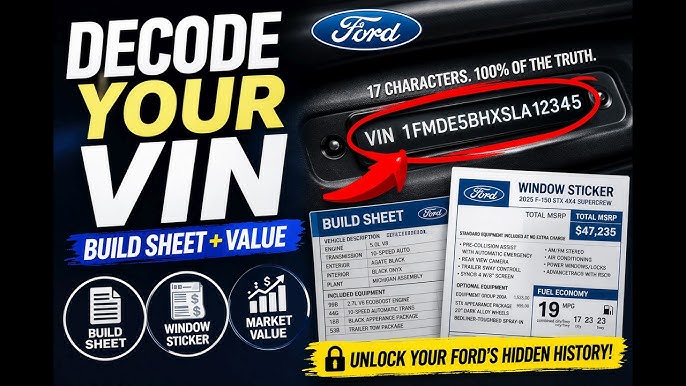
A Ford VIN decoder build sheet is the original factory document that lists every option, package, color code, and component installed on your specific vehicle when it left the assembly line. You can decode your Ford VIN using Ford’s ETIS portal, the VIN sticker on the driver’s door jamb, or third-party decoder tools to retrieve your vehicle’s exact factory specifications.
How Do I Decode My Ford VIN Number?
Your Ford VIN is a 17-character code that contains your vehicle’s plant of origin, engine type, model year, restraint system, and a unique serial number. Decoding it breaks down each character position so you know exactly what Ford built for your car.
The VIN is located on the driver’s side dashboard visible through the windshield, on the driver’s door jamb sticker, and on your registration documents. Each character has a defined meaning set by federal standards, but Ford adds its own internal logic for positions 5 through 8.
Breaking Down the 17 Characters
- Position 1: Country of origin — “1” is the United States, “2” is Canada, “3” is Mexico.
- Position 2: Manufacturer — “F” for Ford, “L” for Lincoln.
- Position 3: Vehicle type or division.
- Positions 4–8: Body style, engine, series, and restraint system — this is Ford-specific and changes by model year.
- Position 9: Check digit used to validate the VIN.
- Position 10: Model year — “K” is 2019, “L” is 2020, “M” is 2021, “N” is 2022, “P” is 2023, “R” is 2024, “S” is 2025.
- Position 11: Assembly plant code — “F” is Dearborn Truck, “D” is Chicago Assembly, “K” is Kansas City, and so on.
- Positions 12–17: Sequential production number.
If you misread even one character, you can end up pulling the wrong build data. Double-check against your door jamb sticker every time.
Free VIN Decode Tools That Actually Work
- Ford ETIS (Etis.ford.com): Ford’s own service portal gives you factory options, recall data, and module configuration. It is the most accurate source for Ford vehicles.
- NHTSA VIN Decoder: A government tool that returns basic specs like engine displacement, body class, and manufacturing plant.
- Ford Build Sheet Lookup via Window Sticker Tools: Sites like MonroneyLabels.com can reproduce the original window sticker using your VIN.
Third-party decoders like AutoZone or Carfax will give you basic trim and engine info but often miss dealer-installed accessories, axle ratios, and towing packages that matter for parts ordering.
How to Get the Original Build Sheet for a Ford
The build sheet, also called the MSO or broadcast sheet, is the most complete record of your vehicle’s factory configuration. It lists every RPO-style code Ford assigned during production, from axle ratio to radio type to paint code.
Ford does not host build sheets online the way GM does with its RPO sticker. You need to take specific steps to retrieve yours depending on the model year and how the vehicle was sold.
Methods to Retrieve Your Ford Build Sheet
- Check the vehicle itself: On many Ford trucks and vans, the build sheet is taped inside the spare tire well, behind the glove box, under the rear seat, or behind interior panels. Technicians have found them in headliners on some Econoline vans.
- Contact the selling dealer: The dealership that originally sold the vehicle can pull the factory invoice and DORA (Dealer Order Receipt Acknowledgement) document, which contains the full build data.
- Ford ETIS Portal: Enter your VIN at Etis.ford.com to see a summary of factory-fitted options, warranty history, and campaign data. This is not a full build sheet but is close.
- Ford Customer Relationship Center: Call 1-800-392-3673 and request your vehicle’s original build information. Have your VIN and proof of ownership ready.
- Window Sticker Reprint: Services like MonroneyLabels.com can generate a replica of the original window sticker from Ford’s internal data for a small fee.
For older Ford vehicles — especially pre-2000 models — the build sheet may no longer be in Ford’s digital system. In that case, the physical sheet hidden in the vehicle is your only option.
What Information Is on a Ford Build Sheet?
A Ford build sheet contains every factory-installed component and option code for your specific vehicle. It is the definitive reference when ordering parts, verifying trim level, or settling disputes about what a vehicle was built with.
Key Data Points on the Build Sheet
- Exterior Paint Code (M-Code): The exact paint formula Ford used, including two-tone combinations.
- Interior Trim Code: Seat material, color, and package — critical for ordering replacement upholstery or seat covers.
- Engine and Transmission Codes: Displacement, fuel type, and transmission type confirmed by factory data, not what a seller claims.
- Axle Ratio and Differential Type: Essential for towing calculations and gear ratio swaps. Many F-150 owners discover they have a different axle ratio than advertised after checking the build sheet.
- Option Packages: Trailer Tow Package, FX4 Off-Road Package, Sport Appearance Package — each with specific sub-components like skid plates, wiring harnesses, and suspension tuning.
- Radio and Infotainment Code: SYNC version, navigation capability, speaker count, and amplifier type.
- Tire and Wheel Specification: Original tire size, wheel diameter, and speed rating.
- Warranty Start Date and Selling Dealer: Confirms in-service date for warranty disputes.
Why the Build Sheet Matters for Parts Ordering
Ordering parts by VIN alone is not always reliable because Ford used multiple suppliers for the same part number across production runs. The build sheet confirms the exact variant installed at the factory, preventing wrong-part returns and diagnostic confusion.
For example, Ford used two different power steering pumps on the 2015 F-150 depending on build date. The VIN gets you to the right general part, but the build code narrows it to the correct revision.
Ford Build Sheet Codes for Popular Models
Different Ford models carry different option code formats. Knowing where to look and what the codes mean saves time when you are chasing a specific component or verifying your truck’s equipment level.
F-150 and Super Duty Build Codes
Mustang and Bronco Build Codes
If you cannot find your code in these tables, plug your VIN into Ford ETIS. The portal returns a complete option list that matches the build sheet format.
Common Problems When Decoding a Ford VIN
Owners run into real problems when they rely on incomplete or incorrect VIN data. Misidentified trim levels lead to wrong parts, wrong fluids, and incorrect towing capacity assumptions.
Issue 1: Wrong Axle Ratio Identification
The VIN does not always encode the axle ratio directly on Ford trucks. Many owners assume they have a 3.55 ratio because it is common, only to discover a 3.31 or 3.73 after pulling the build sheet. This matters enormously for towing capacity and fuel economy calculations.
Fix: Check the door jamb sticker for the axle code. On F-150s, look for a two-digit code under “AXLE.” Cross-reference it with Ford’s axle code chart to confirm the ratio.
Issue 2: Dealer-Installed Accessories vs. Factory Options
Ford dealers frequently install accessories at the port or on the lot — things like bed liners, running boards, and tonneau covers. These do not appear on the build sheet because they are not factory-installed. Sellers often advertise them as “factory options” which inflates perceived value.
Fix: Compare the build sheet option list against what the vehicle physically has. Anything not on the build sheet was dealer- or port-installed. This distinction affects resale pricing and insurance valuations.
Issue 3: Updated Parts Supersession Confusion
Ford regularly supersedes part numbers. The original part on your build sheet may have been replaced by an updated revision that is not backward-compatible. This is common with PCM modules, throttle bodies, and transfer case motors on Explorers and Expeditions.
Fix: Always cross-reference the build sheet code with Ford’s latest parts catalog through a dealer or through Ford’s OASIS system. The current supersession may require a reflashed module rather than a direct swap.
How Dealerships and Shops Use Build Sheets for Diagnosis
A competent technician uses the build sheet before diagnosing problems, not after. The sheet tells you what engine, transmission, transfer case, and differential are in the vehicle so the right service procedures and specifications apply.
Why It Matters for Electrical Diagnostics
Ford builds the same model with multiple wiring harnesses depending on installed options. A Limited trim Expedition has a completely different body harness than an XLT. If a shop orders a harness or module by VIN alone without checking the build codes, they may install a harness that lacks circuits for features like heated seats or adaptive cruise control.
Always provide your build sheet or option code list when ordering electrical components. VIN alone is not enough on Ford vehicles with complex option packages.
Preventing Overquoted Repairs
Dealerships sometimes quote based on the highest possible trim configuration. If your build sheet shows a base transfer case without electronic shift-on-the-fly, you should not be quoted for the electronic module replacement. Having the build sheet gives you leverage in repair cost disputes.
Frequently Asked Questions
❓ Can I get a Ford build sheet for free?
Yes, Ford’s ETIS portal is free and provides factory option data when you enter your VIN. The physical build sheet hidden in your vehicle is also free if you can locate it. Window sticker reprints typically cost between 5 and 20 dollars.
❓ Does the Ford build sheet show the original window sticker price?
No, the build sheet lists option codes and component descriptions but does not include MSRP. To see the original price with all options itemized, you need the Monroney window sticker, which can be reproduced from the VIN through reprint services.
❓ Is the Ford build sheet the same as the window sticker?
No. The build sheet is the internal factory document listing every component and code used during assembly. The window sticker is the consumer-facing document required by federal law that shows MSRP, fuel economy ratings, and standard feature highlights.
❓ Where is the build sheet on a Ford F-150?
On many F-150s, the build sheet is folded and taped inside the spare tire area beneath the carpet or behind the rear seat back panel. Some are found behind the kick panel on the driver’s side. Not every truck has one physically present.
❓ Can a Ford VIN tell me the exact engine option?
Yes, positions 5 through 8 of the Ford VIN encode the engine type. However, for complete confirmation including displacement and fuel system details, use Ford ETIS or the build sheet because some positions overlap between engine variants.
❓ Why does my Ford VIN decode give me the wrong trim level?
This usually happens with third-party decoders that pull from incomplete databases. Ford’s own system via ETIS is the most accurate. Some third-party tools also confuse model year boundaries where Ford changed codes mid-cycle.
Take Control of Your Ford’s Identity
Your build sheet is the single most reliable source of truth for what your Ford was built with. Whether you are ordering parts, disputing a repair quote, or verifying your truck’s towing setup, decoding the VIN and retrieving the build sheet eliminates guesswork.
Do not trust seller claims, window stickers from resellers, or generic VIN decoders when precision matters. Pull the data directly from Ford or from the vehicle itself, and keep a copy saved for every future interaction with a shop or parts counter.
Leave a Reply