
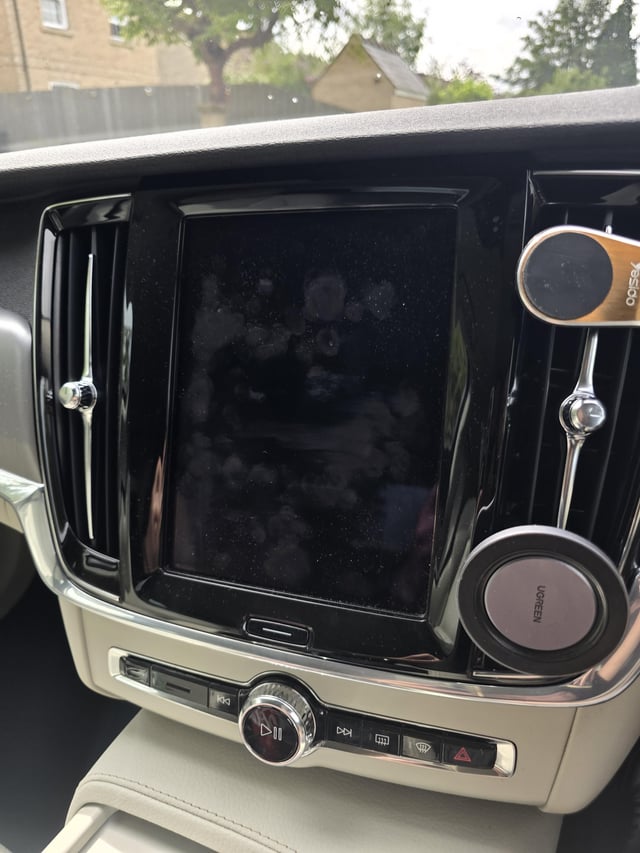
To reset your Volvo infotainment system, press and hold the home button (center knob on Sensus systems) for 20 seconds until the screen goes black and the Volvo logo reappears. This soft reset clears temporary glitches without erasing your settings. For a full factory reset, navigate to Settings, then System, and select Restore Factory Settings.
How Do You Soft Reset a Volvo Sensus Infotainment System?
A soft reset is the first and safest step when your Volvo infotainment freezes, lags, or behaves erratically. This method forces a reboot of the head unit without deleting your paired phones, saved addresses, or personal preferences.
I have seen countless owners panic over black screens or frozen touch displays when all they needed was a simple soft reset. Dealerships sometimes charge diagnostic fees for this exact procedure, which you can perform in under a minute at home.
🔧 Soft Reset Method for Sensus Systems (2016–2022 XC90, XC60, S90, V90, XC40)
- Ensure the vehicle is running or in accessory mode.
- Locate the center knob on the center console near the shifter.
- Press and hold the knob firmly for approximately 20 seconds.
- The screen will go black. Keep holding until the Volvo logo appears.
- Release the knob and wait for the system to fully reboot, which may take 1–2 minutes.
🔌 Soft Reset for Newer Android Automotive Models (2022+ XC40 Recharge, C40, EX30, EX90)
- Press and hold the physical home button beneath the touchscreen for 15–20 seconds.
- Alternatively, hold the volume knob on the steering wheel down for the same duration.
- Wait for the display to cycle through a black screen and reload the Android Automotive interface.
How Do You Factory Reset a Volvo Infotainment System?
A factory reset wipes all personal data from the infotainment unit and restores it to out-of-the-box condition. Use this when soft resets fail or when preparing the vehicle for sale.
This resolves deeper software corruption that a simple reboot cannot fix.
⚙️ Factory Reset on Sensus Touch (2016–2022 Models)
- From the home screen, tap Settings (gear icon).
- Navigate to System or General.
- Scroll to Restore Factory Settings.
- Confirm the action when prompted.
- The system will reboot and restore all defaults. This process takes 3–5 minutes.
📱 Factory Reset on Google Built-In (2022+ Models)
- Open Settings from the app drawer or swipe-down menu.
- Tap System, then Reset Options.
- Select Erase All Data (Factory Reset).
- Confirm and allow the system several minutes to complete.
- You will need to re-enter your Google account credentials and re-pair Bluetooth devices.
Important: Always try a soft reset before performing a factory reset. A factory reset erases navigation history, radio presets, seat memory associations, and all linked accounts. Many owners come to me after unnecessary factory resets because a simple 20-second hold would have solved their issue.
Why Does the Volvo Infotainment Screen Go Black?
A black screen on your Volvo infotainment is one of the most common complaints across all Sensus-equipped models. The causes range from minor software hiccups to genuine hardware failures.
🔍 Common Causes of a Black Infotainment Screen
- ▸ Software crash during startup: The operating system fails to load fully, often after an OTA update or cold-weather startup.
- ▸ Infotainment module overheating: Prolonged sun exposure or poor ventilation behind the dashboard can trigger a thermal shutdown.
- ▸ Loose wiring harness: Vibration over time can loosen the connector behind the head unit, especially in XC90 and XC60 models driven on rough roads.
- ▸ Failed IHU (Infotainment Hardware Unit): The internal eMMC storage chip in earlier Sensus units is known to degrade after 4–6 years of use.
- ▸ Battery voltage drop: A weak 12V battery causes the infotainment to fail during boot. If your screen goes black intermittently, check your battery first.
🛠️ How to Fix a Persistent Black Screen
- Perform a soft reset using the center knob method described above.
- If the screen remains black, turn off the vehicle, lock it, and wait 10 minutes. This allows the IHU to fully power cycle.
- Check your 12V battery voltage with a multimeter. Anything below 12.2V at rest indicates a weak battery that needs replacement.
- Inspect the fuse box. The IHU fuse is typically a 10A or 15A fuse labeled in the owner’s manual. Replace if blown.
- If the screen still fails, the IHU module likely needs professional diagnosis or replacement, which can cost $800–$1,500 at a dealership.
What Do You Do When Volvo Infotainment Keeps Restarting?
A boot loop, where the infotainment system repeatedly restarts, usually points to corrupted software or a failing internal drive. I have seen this most frequently on 2017–2019 XC90 and S90 models after interrupted software updates.
🔄 Steps to Break a Volvo Infotainment Boot Loop
- Perform a soft reset by holding the center knob for 30 seconds (longer than usual).
- If the loop continues, disconnect the negative terminal of the 12V battery for 15 minutes, then reconnect.
- Drive the vehicle for 20–30 minutes with the infotainment running to allow background processes to stabilize.
- If boot loops persist, contact your Volvo dealer and request a software reflash using VIDA, Volvo’s proprietary diagnostic tool.
- In rare cases, the dealer may need to replace the IHU hardware entirely.
Volvo Infotainment Reset by Model Year and System
When Should You Visit a Dealership for Infotainment Problems?
If soft resets, factory resets, and battery checks do not resolve your issue, it is time for professional diagnosis. However, understand what to expect so you are not overquoted.
- ▸ Software reflash via VIDA: This should cost 1 hour of labor ($150–$250). It reinstalls the operating system cleanly.
- ▸ IHU replacement: Parts run $600–$1,200 depending on the model. Labor adds another $200–$400.
- ▸ Wiring harness repair: If loose connectors are found, expect $100–$300 for diagnosis and re-securing.
- ▸ Always ask for a VIDA readout before approving any hardware replacement. I have seen dealerships replace entire IHU units when a simple software update would have fixed the problem.
Frequently Asked Questions
❓ Will resetting my Volvo infotainment delete my navigation maps?
A soft reset will not affect your stored maps. A factory reset may remove downloaded map data, but the base maps remain intact. You can re-download updated maps through the Volvo on Call app or a USB update.
❓ How often should I update my Volvo infotainment software?
Check for updates every 6 months. Volvo releases infotainment patches that fix known bugs, improve Bluetooth stability, and enhance overall responsiveness. Updates can be installed via over-the-air download or USB through a dealer visit.
❓ Can a dead car battery cause infotainment problems?
Yes. A weak or dying 12V battery is one of the most overlooked causes of infotainment glitches, black screens, and random restarts. Always test your battery health before assuming the infotainment unit is faulty.
❓ Does the Volvo warranty cover infotainment system failure?
The original Volvo warranty (4 years or 50,000 miles) covers infotainment hardware and software defects. Extended warranties and Certified Pre-Owned coverage may also apply. Always verify coverage before paying out of pocket at a dealership.
Take Control of Your Volvo Infotainment Reset
Most Volvo infotainment issues resolve with a simple soft reset that takes less than a minute. Before spending money at a dealership, work through the soft reset, battery check, and factory reset steps outlined above.
Knowing these procedures saves you time, money, and the frustration of being without your navigation, media, and connectivity features while your car sits in a service bay waiting for a fix that may have only needed 20 seconds of your own effort.
Leave a Reply